- 32 Actual Exam Questions
- Compatible with all Devices
- Printable Format
- No Download Limits
- 90 Days Free Updates
Get All FCP - FortiSIEM 7.2 Analyst Exam Questions with Validated Answers
| Vendor: | Fortinet |
|---|---|
| Exam Code: | FCP_FSM_AN-7.2 |
| Exam Name: | FCP - FortiSIEM 7.2 Analyst |
| Exam Questions: | 32 |
| Last Updated: | May 23, 2026 |
| Related Certifications: | Fortinet Certified Professional, FCP Fortinet Certified Professional Security Operations |
| Exam Tags: | Advanced FortiSEM AdministratorsFortiSEM Analysts |
Looking for a hassle-free way to pass the Fortinet FCP - FortiSIEM 7.2 Analyst exam? DumpsProvider provides the most reliable Dumps Questions and Answers, designed by Fortinet certified experts to help you succeed in record time. Available in both PDF and Online Practice Test formats, our study materials cover every major exam topic, making it possible for you to pass potentially within just one day!
DumpsProvider is a leading provider of high-quality exam dumps, trusted by professionals worldwide. Our Fortinet FCP_FSM_AN-7.2 exam questions give you the knowledge and confidence needed to succeed on the first attempt.
Train with our Fortinet FCP_FSM_AN-7.2 exam practice tests, which simulate the actual exam environment. This real-test experience helps you get familiar with the format and timing of the exam, ensuring you're 100% prepared for exam day.
Your success is our commitment! That's why DumpsProvider offers a 100% money-back guarantee. If you don’t pass the Fortinet FCP_FSM_AN-7.2 exam, we’ll refund your payment within 24 hours no questions asked.
Don’t waste time with unreliable exam prep resources. Get started with DumpsProvider’s Fortinet FCP_FSM_AN-7.2 exam dumps today and achieve your certification effortlessly!
How does FortiSIEM update the incident table if a performance rule triggers repeatedly?
When a performance rule triggers repeatedly, FortiSIEM updates the existing incident by incrementing the Incident Count and refreshing the Last Seen timestamp. This avoids flooding the incident table with duplicates while still tracking repeated occurrences.
When configuring anomaly detection machine learning, in which step must you select the fields to analyze?
In the Prepare Data step of configuring anomaly detection in FortiSIEM, you must select the fields to analyze. This step defines the input features that the machine learning model will evaluate during training and detection.
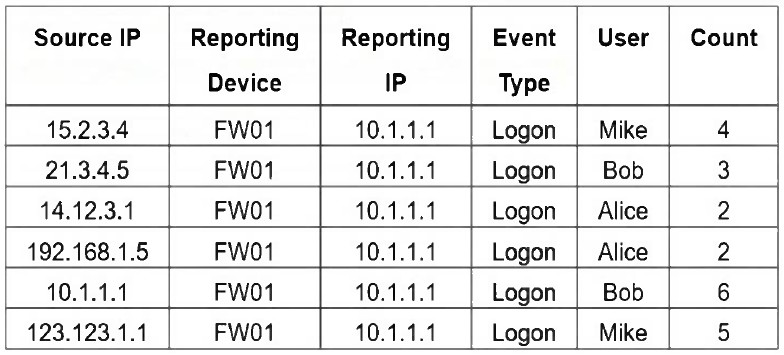
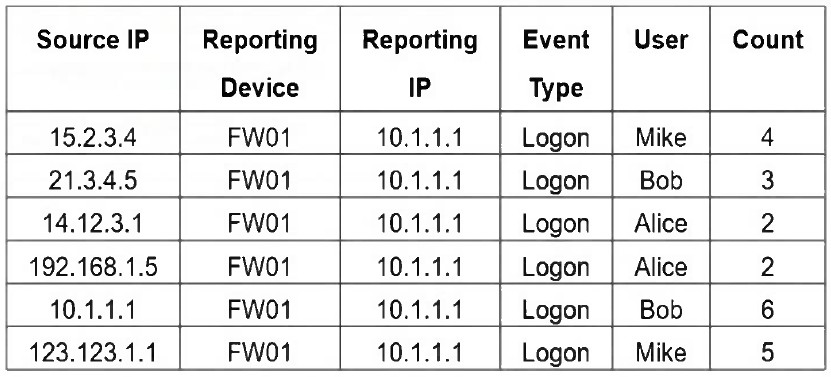
Refer to the exhibit.

If you group the events by Reporting Device, Reporting IP, and Application Category, how many results will FortiSIEM display?
Grouping by Reporting Device, Reporting IP, and Application Category yields five unique tuples: (FW01, 10.1.1.1, DB), (FW02, 10.1.1.2, WebApp), (FW01, 10.1.1.1, SSH), (FW03, 10.1.1.3, DB), and (FW04, 10.1.1.4, SSH).
Which information can FortiSIEM retrieve from FortiClient EMS through an API connection?
FortiSIEM can retrieve ZTNA tags from FortiClient EMS through an API connection, enabling dynamic user and device classification for policy enforcement and incident response.
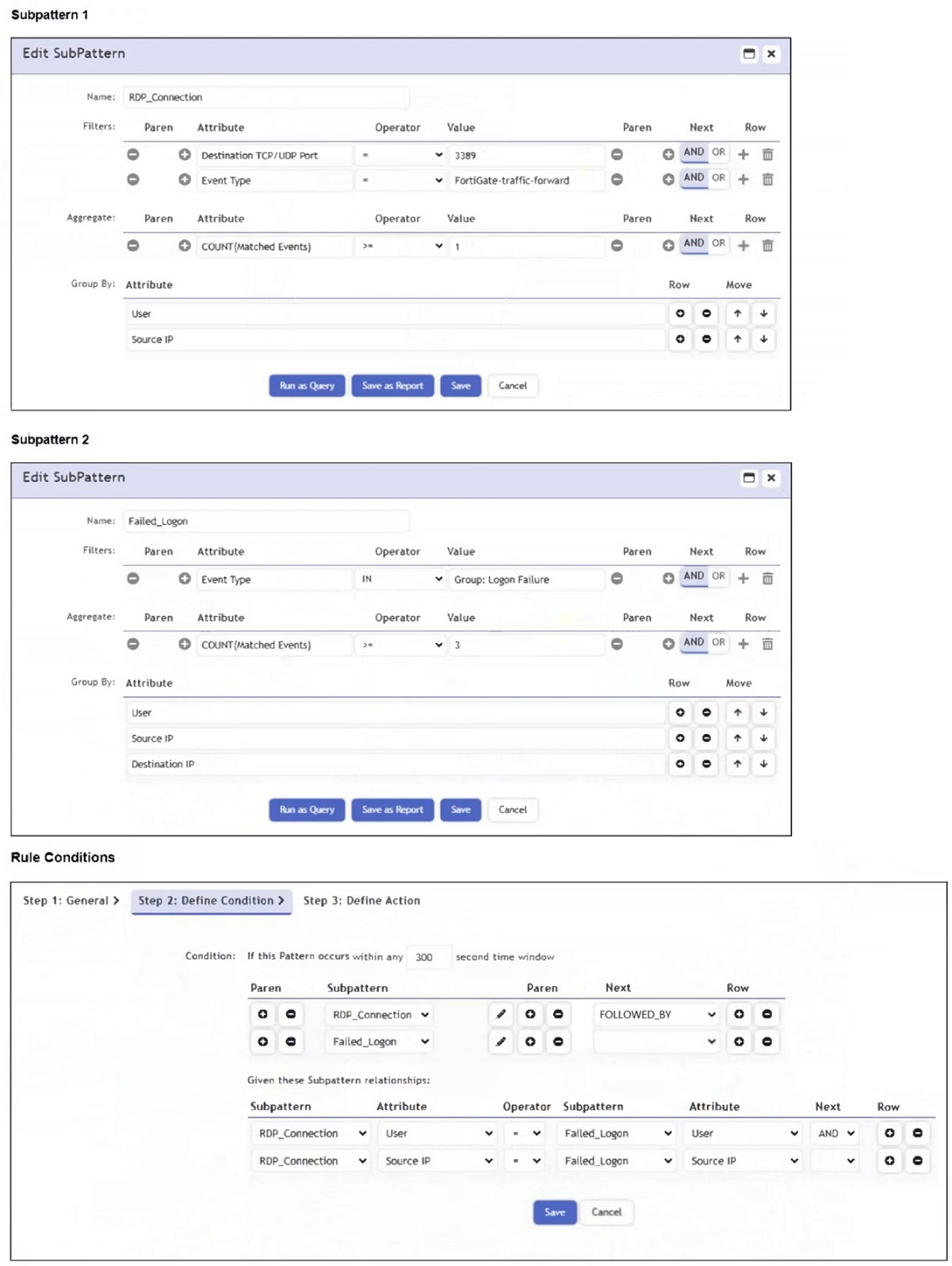
Refer to the exhibit.

An analyst is trying to generate an incident with a title that includes the Source IP, Destination IP, User, and Destination Host Name. They are unable to add a Destination Host Name as an incident attribute.
What must be changed to allow the analyst to select Destination Host Name as an attribute?
For an attribute like Destination Host Name to be used in the incident title, it must first be included in the Triggered Attributes list. Only attributes listed there are available for substitution in the title template (e.g., $destIpAddr, $srcIpAddr).
Security & Privacy
Satisfied Customers
Committed Service
Money Back Guranteed