- 47 Actual Exam Questions
- Compatible with all Devices
- Printable Format
- No Download Limits
- 90 Days Free Updates
Get All Dell VxRail Operate 2023 Exam Questions with Validated Answers
| Vendor: | Dell EMC |
|---|---|
| Exam Code: | D-VXR-OE-23 |
| Exam Name: | Dell VxRail Operate 2023 |
| Exam Questions: | 47 |
| Last Updated: | August 20, 2026 |
| Related Certifications: | |
| Exam Tags: |
Looking for a hassle-free way to pass the Dell EMC Dell VxRail Operate 2023 exam? DumpsProvider provides the most reliable Dumps Questions and Answers, designed by Dell EMC certified experts to help you succeed in record time. Available in both PDF and Online Practice Test formats, our study materials cover every major exam topic, making it possible for you to pass potentially within just one day!
DumpsProvider is a leading provider of high-quality exam dumps, trusted by professionals worldwide. Our Dell EMC D-VXR-OE-23 exam questions give you the knowledge and confidence needed to succeed on the first attempt.
Train with our Dell EMC D-VXR-OE-23 exam practice tests, which simulate the actual exam environment. This real-test experience helps you get familiar with the format and timing of the exam, ensuring you're 100% prepared for exam day.
Your success is our commitment! That's why DumpsProvider offers a 100% money-back guarantee. If you don’t pass the Dell EMC D-VXR-OE-23 exam, we’ll refund your payment within 24 hours no questions asked.
Don’t waste time with unreliable exam prep resources. Get started with DumpsProvider’s Dell EMC D-VXR-OE-23 exam dumps today and achieve your certification effortlessly!
SIMULATION
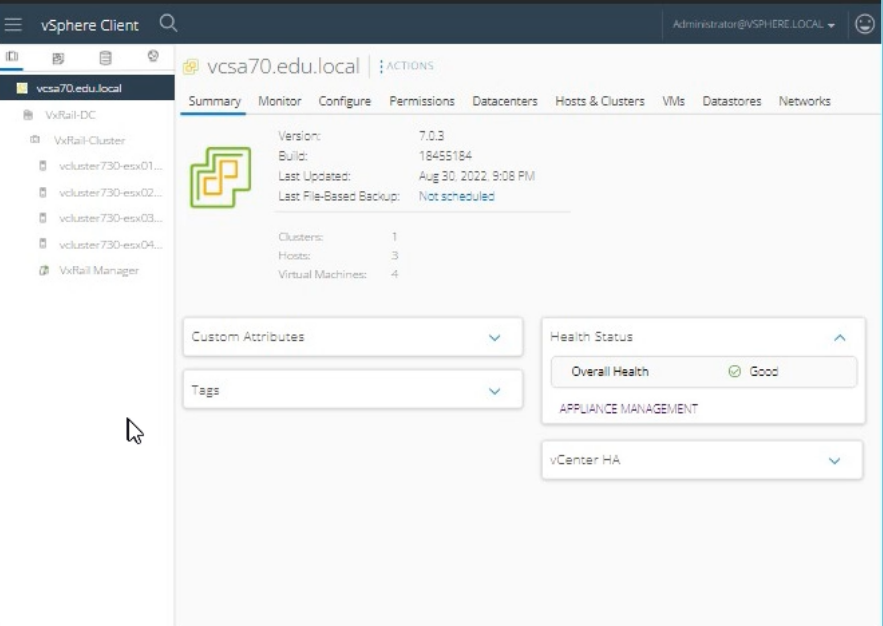
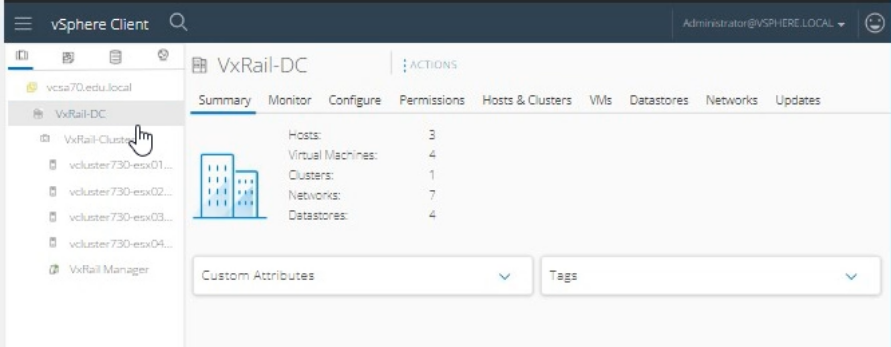
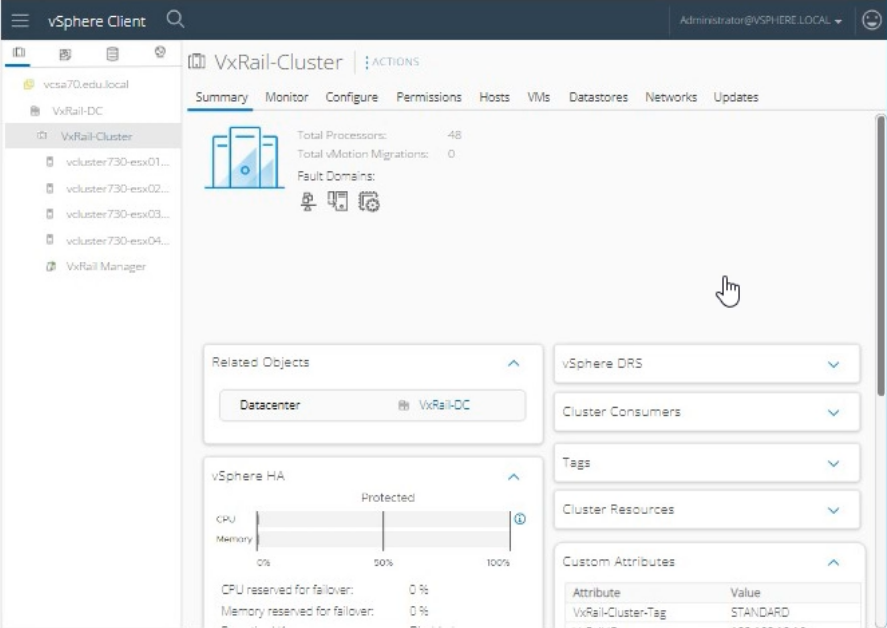
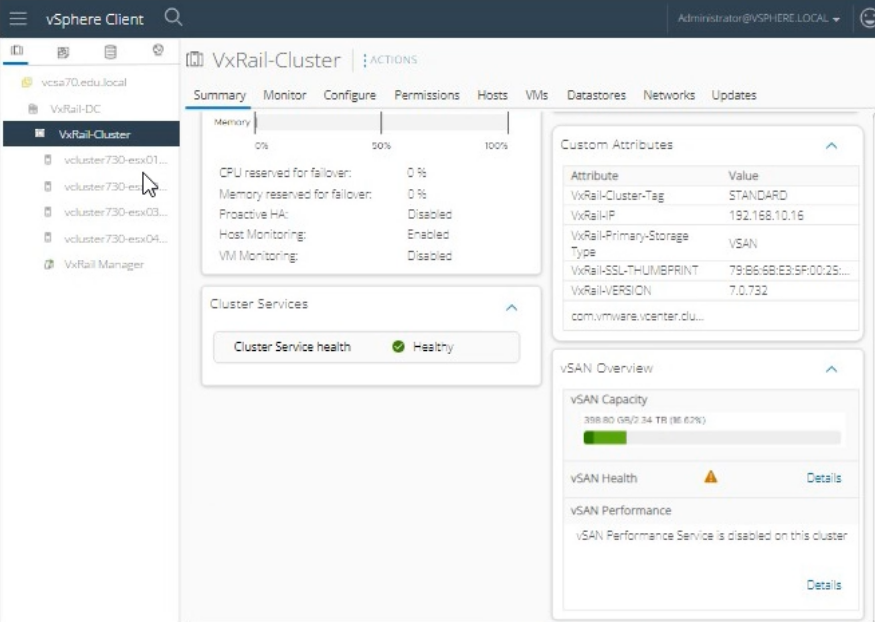
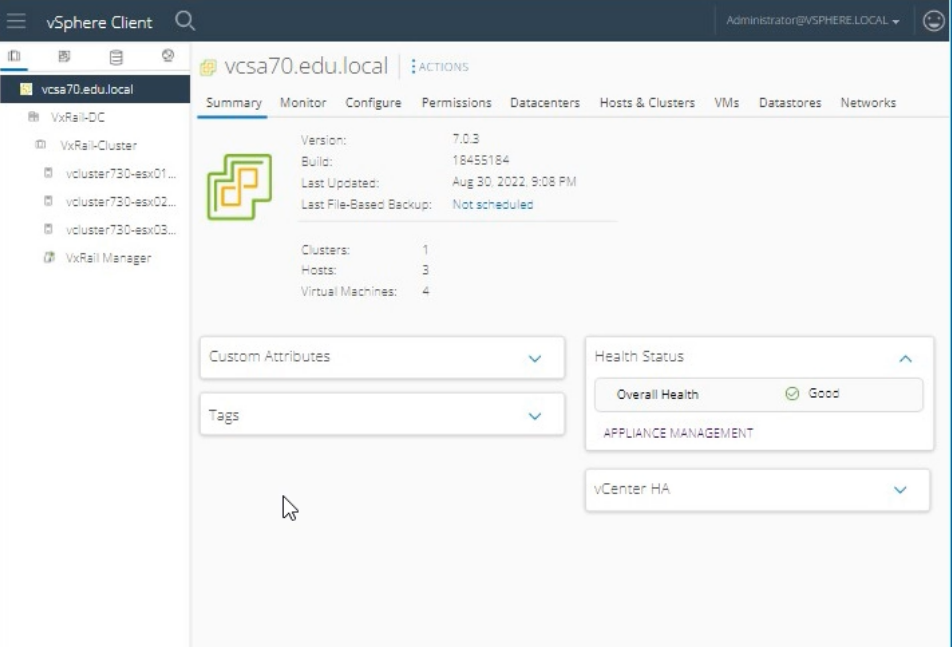
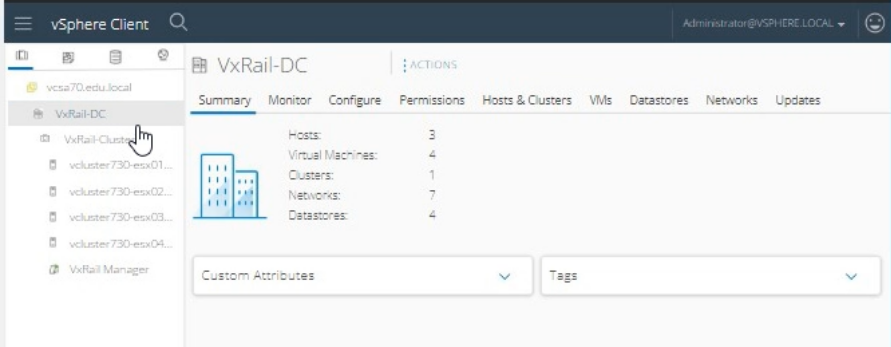
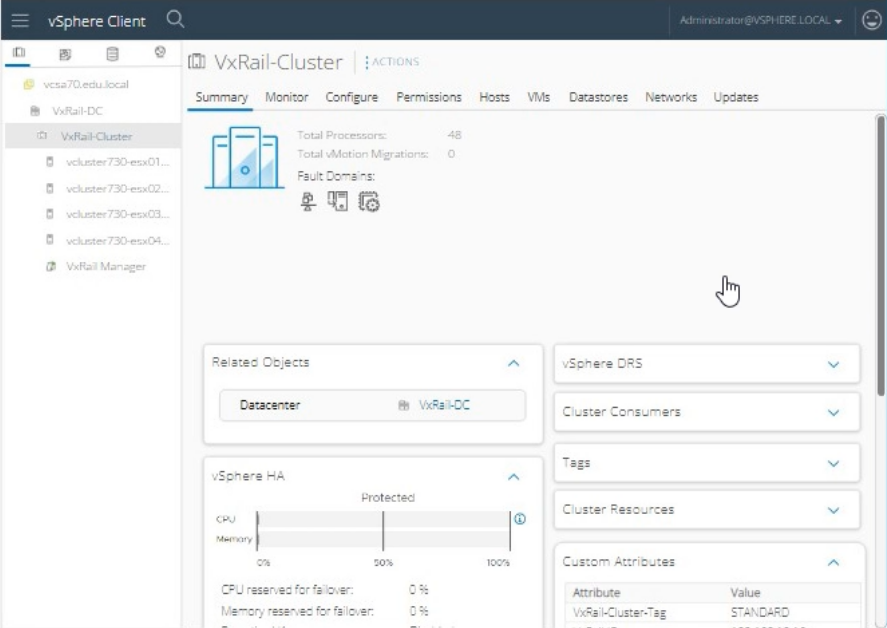
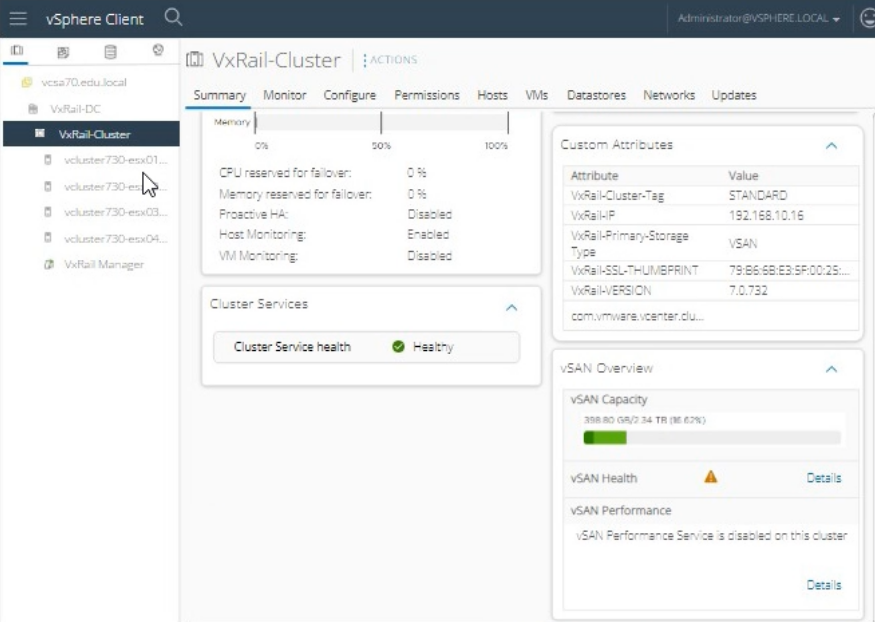
During a maintenance task on a VxRail Appliance, the system LED on vcluster730-esx03.edu.local is
required to be enabled so the node can be correctly identified in the physical rack.
Use the simulator to enable the System LED for the node.


To enable the system LED on vcluster730-esx03.edu.local for identification in the physical rack, follow these steps:
Log in to vSphere Client:
Open the vSphere Client.
Enter the username: administrator@vsphere.local.
Enter the password: VMw@r3!123.
Click Login.
Navigate to the Host:
In the vSphere Client interface, navigate to the Hosts and Clusters view.
Expand the VxRail-DC and then the VxRail-Cluster.
Select the host named vcluster730-esx03.edu.local.
Access Host Actions:
Right-click on vcluster730-esx03.edu.local.
From the context menu, select Actions.
Enable System LED:
In the Actions menu, locate and select Enable LED or Turn On Locator LED (the exact wording might vary).
Confirm the action if prompted.
Verify LED Activation:
Check the physical rack to ensure that the system LED on vcluster730-esx03.edu.local is enabled and the node is easily identifiable.
VMware vSphere Host Management Guide: vSphere Host Management
=========================
Note: The exact steps to enable the LED might vary slightly based on the version of vSphere Client you are using, but the general process involves selecting the host and using the Actions menu to enable the system LED.
What are two considerations of deploying VxRail Cluster with an existing customer-supplied vCenter Server? (Select 2)
When deploying a VxRail Cluster with an existing customer-supplied vCenter Server, two key considerations are:
Supports Enhanced Link Mode with other VxRail-managed vCenter Servers: This allows the existing vCenter Server to link with other VxRail-managed vCenter Servers, providing a unified management interface across multiple vCenter instances, enabling seamless operations and better scalability.
Uses customer-defined procedures for vCenter LCM (Lifecycle Management): Since the vCenter Server is customer-supplied, the procedures for upgrading and maintaining it are defined and managed by the customer, rather than being automatically handled by VxRail's built-in lifecycle management tools.
Dell VxRail Deployment with Existing vCenter Server Guide: VxRail Deployment Guide
Which service on the ESXi host allows automatic discovery when adding a node into an existing VxRail Cluster*?
The service on the ESXi host that allows automatic discovery when adding a node into an existing VxRail Cluster is 'loudmouth.' Loudmouth is a lightweight messaging daemon that enables the nodes in a VxRail cluster to discover each other automatically. This service facilitates the seamless addition of new nodes into an existing VxRail cluster by enabling them to communicate and integrate without manual configuration.
Dell VxRail Network Planning Guide: VxRail Network Planning Guide
What two failure events cause the vSAN to start rebuilding components immediately on the VxRail system?
(Select 2)
Two failure events that cause vSAN to start rebuilding components immediately on the VxRail system are:
ESXi host failure
Capacity device failure
When an ESXi host fails, vSAN detects the loss of the host and initiates the rebuilding of the affected components to maintain data availability and integrity. Similarly, when a capacity device (such as an SSD or HDD) fails, vSAN starts the rebuild process to ensure that data remains protected and accessible.
VMware vSAN Failure Handling: vSAN Failure Handling
What is required to setup vSAN HCI Mesh?
To set up vSAN HCI Mesh, a latency of 10 milliseconds and a bandwidth of 10 Gbps are required. vSAN HCI Mesh allows vSAN clusters to share storage resources over a network. Ensuring low latency and high bandwidth is crucial for maintaining performance and reliability in a hyper-converged infrastructure (HCI) environment, which vSAN HCI Mesh facilitates.
VMware vSAN HCI Mesh Requirements: VMware vSAN HCI Mesh
Security & Privacy
Satisfied Customers
Committed Service
Money Back Guranteed